Brickit alternative for kids: a free app for your own bricks
Tumbly Blocks is a Brickit alternative for kids who already know what they want to build. Brickit scans a spread-out pile and suggests ideas from its catalog. Tumbly Blocks reads the bricks on your table and designs what your kid asks for, a jet or a castle, from only those bricks, sized for ages 2 to 13.
How they compare
From each app’s App Store listing on November 4, 2026. Prices and features change, so check before you pay.
| Feature | Tumbly Blocks | Brickit | LEGO® Builder |
|---|---|---|---|
| You start with | A photo of the bricks on your table | A scan of your pile, spread out | A LEGO® set you own |
| You get | A new design for what your kid asks for | Ideas from its catalog your pile can make | The official steps for that set |
| Uses only the bricks you have | ✓ | ✓ | — |
| Sized for ages 2–13 | ✓ | — | By set |
| Checks each step with the camera | ✓ | — | — |
| Shows where a part is in your pile | — | ✓ | — |
| Price | Free to start, Family $7.99/mo | Free, Pro from $6.99/mo | Free |
| Where | iPhone, iPad, Android, web browser | iPhone, Android | iPhone, Android |
| Official LEGO® app | — | — | ✓ |
When Brickit is the better pick
- You have a big mixed bin and no plan. Brickit shows you what the whole pile can make, and that’s fun in itself.
- You want help finding a part. It highlights the piece in the photo of your pile. Tumbly Blocks doesn’t do this.
- You want to catalog your collection. Brickit keeps track of what you own.
- You’re outside the US and want an Android app. Brickit has one. Tumbly’s Android app is on Google Play in the US only so far; elsewhere Tumbly Blocks runs in the browser.
It’s also the established choice, on the App Store since 2019 with more than 22,000 ratings.
When Tumbly Blocks is the better pick
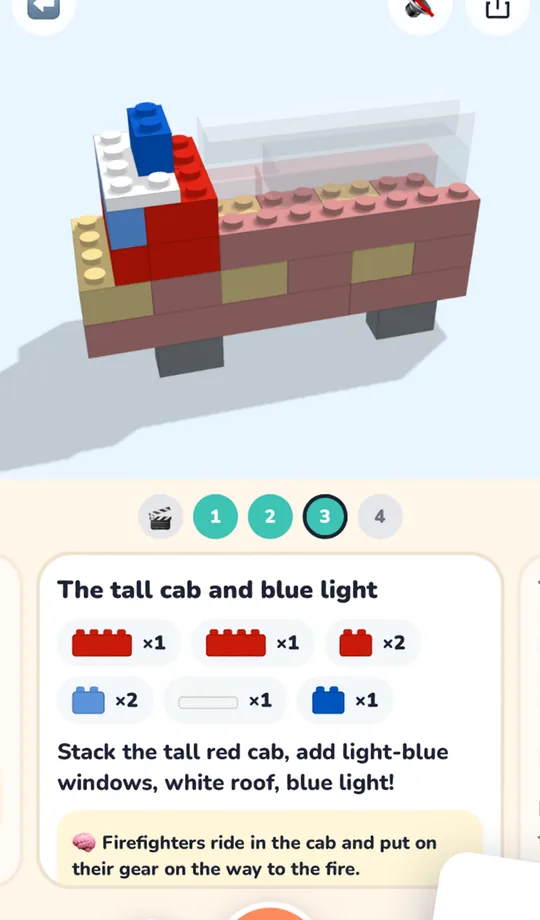
- Your kid has already decided. “A fire truck” gets a fire truck, not a list of other things the pile could be.
- You have a small pile. It designs from what the camera sees, even a few bricks.
- Your kid is little. A build is sized for their age, from ages 2 to 13. A voice reads each step, so a kid who can’t read can follow along.
- You have DUPLO® or wooden blocks. It works with LEGO® bricks, DUPLO® big bricks and plain wooden blocks.
- You want them to finish. The camera checks each step, and every step turns in 3D.
- You want to keep it. A finished build comes with a picture book, an animation, a 3D print file and an LDraw file.
The trade-off: a new design takes a minute or two to make, because it’s designed for your bricks rather than picked from a catalog.
Other apps people try
- LEGO® Builder is the official free app. It’s the one for a set you bought, with 3D steps you can turn. It doesn’t work from a loose pile.
- Brick Scanner: Detect & Build names your pieces from a photo and suggests sets to make.
- No app at all: what to build with LEGO® bricks has free picture instructions by age, for plain bricks most bins have.
Try it on your own pile.
Show Tumbly Blocks the bricks on your table and say what your kid wants. It designs a build from only those bricks, sized for their age, with every step in 3D. Free to start.


Scan with your iPhone cameraor open it in your browser
Questions parents ask
Is there a free app like Brickit?
Yes. Tumbly Blocks also starts with a photo of your bricks, and it’s free to start on iPhone, iPad, Android and any web browser. The free plan has every ready-made build and 20 new designs a day, for every kid in the family. Tumbly Family costs $7.99 a month, or $59.99 a year with a 7-day free trial.
Is Brickit free?
Brickit is free to download. Its paid plan, Brickit Pro, was listed from $6.99 a month on the US App Store in November 2026. Check the listing for what the free version includes today.
Is there a free app for building with LEGO® bricks?
Yes, a few. LEGO® Builder is the official free app with the instructions for LEGO® sets. Brickit and Tumbly Blocks both work from the bricks you already have, and both are free to start. If you just want something to build right now, these free step-by-step builds need no app at all.
Which apps scan LEGO® bricks?
Brickit scans a spread-out pile and shows ideas from its catalog. Tumbly Blocks reads the bricks on your table and designs what your kid asks for. Brick Scanner: Detect & Build is another that names your pieces and suggests sets to make.
What age is Tumbly Blocks for?
Ages 2 to 13. It sizes each design to the kid: a toddler gets a few big pieces and a tween gets a longer build. Here’s which bricks fit each age.
What happens to the photo of my bricks?
The camera and new designs turn on only after a grown-up signs in and agrees. A photo for a new design is held until the design is made, at most a day, and then deleted.
Is Tumbly connected to Brickit or the LEGO Group?
No. Tumbly has no connection to Brickit or to the LEGO Group. Brickit’s own listing says it’s not an official LEGO product.