Custom builds from the bricks you already own.
Say what to build. It designs it from only the bricks on your table.


Scan with your iPhone cameraor open it in your browser
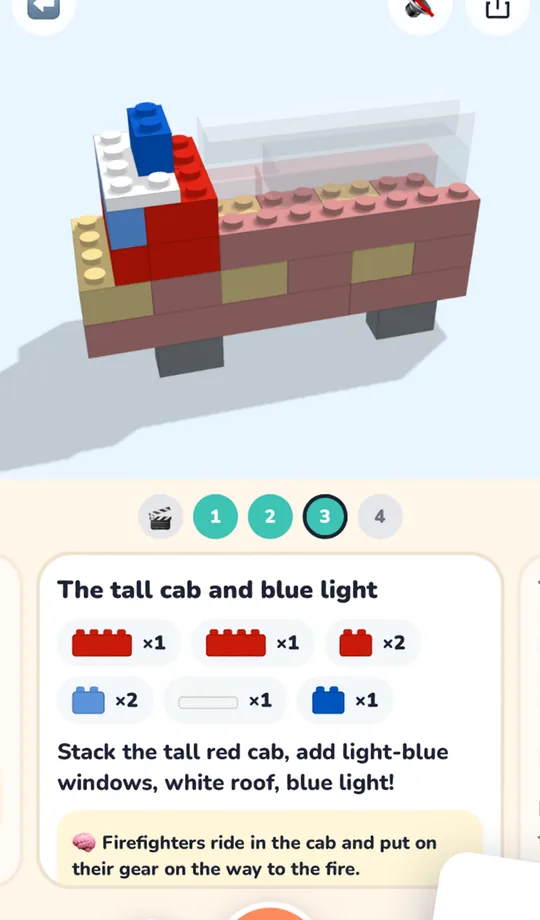
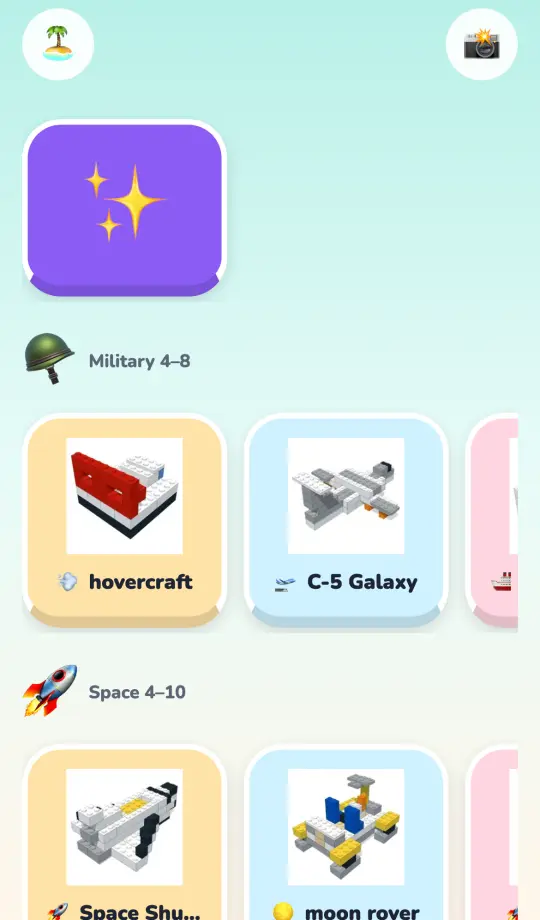
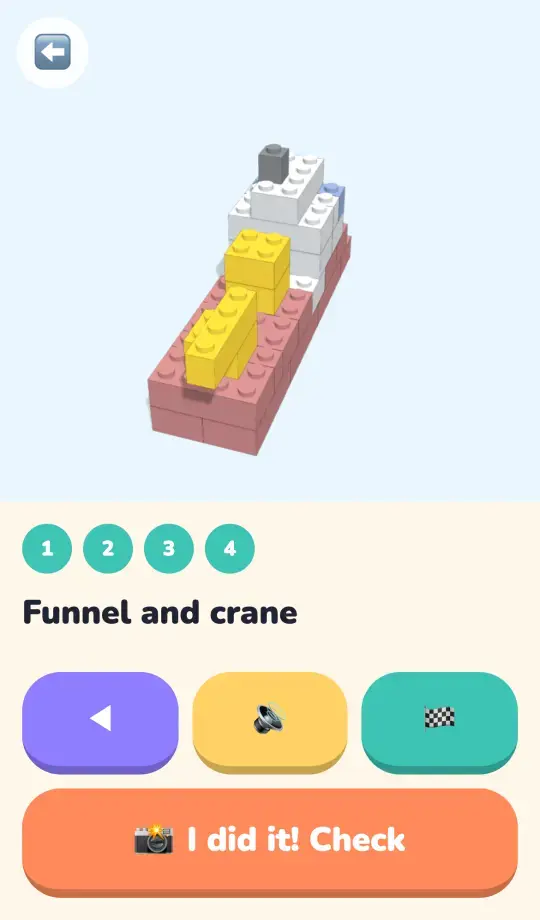
Works with LEGO®, DUPLO® and wooden blocks. Ages 2–13.
What is Tumbly Blocks?
Tumbly Blocks is a building app for LEGO® bricks, made for kids. Show it the bricks on your table, say what your kid wants (a jet, a castle, a fire truck), and it designs a build from only those bricks, with every step in 3D.
How it works
No reading needed. Every screen talks.
Say what you love
A fire truck, an icebreaker, a castle. Say it, type it or tap a picture.
Show your bricks
The camera reads the pile and designs with only those bricks.
Build step by step
Spin the 3D model. Snap a photo and the camera checks your build.
Who is Tumbly Blocks for?
It’s for kids from 2 to 13 who have a pile of loose bricks and no instructions that fit it. Your kid names the thing, and Tumbly designs that thing from the pile and tests how every brick connects.
The bin of mixed bricks
Sets come apart. Tumbly Blocks turns the jumble into something new to build, from only what's there.
“What should I build?”
A rainy afternoon, a bored kid, a pile of bricks. Tap the sparkle for an idea, or say one.
Whatever they love this week
Fire trucks, F-22s, castles, sharks. Each build comes with a true fact at every step.
Best for a kid who has already decided
Your kid says fire truck, and a fire truck gets designed from the bricks on your table. It also suits a little kid with big bricks, because a voice reads every step and a 2-year-old only gets 2 or 3 of them.
Not for a set you bought, or a model for the shelf
For the steps of a boxed set, use the LEGO® Builder app, the official free one, or find a lost booklet on LEGO.com. Tumbly designs with plain bricks and plates only, so a jet comes out chunky rather than sleek. To find one part in a big pile, try Brickit or another scanner app for LEGO® bricks. And the biggest design stops at 160 bricks, so a teenager who wants a long project will outgrow it.
Which ages can build with it?
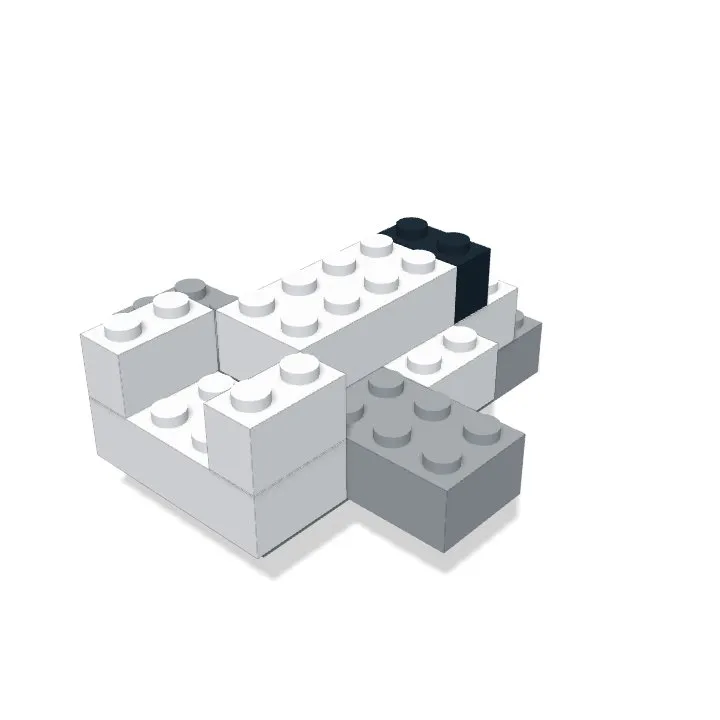
Kids from 2 to 13 can. The same idea comes out four ways, from up to 10 big bricks at age 2 to up to 160 small ones at 13.
Ages 2–3
2–3 steps, up to 10 big bricks.
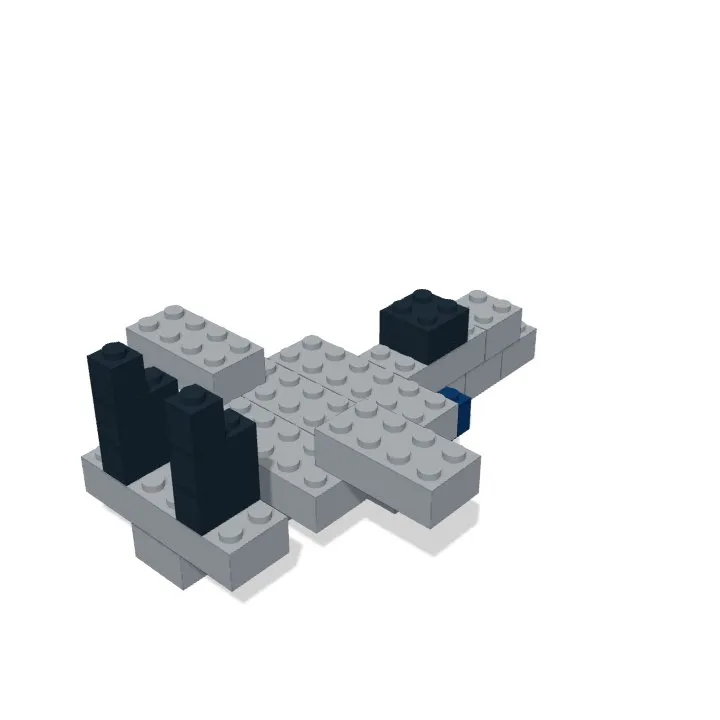
Ages 4–6
3–4 steps, 10–30 bricks.
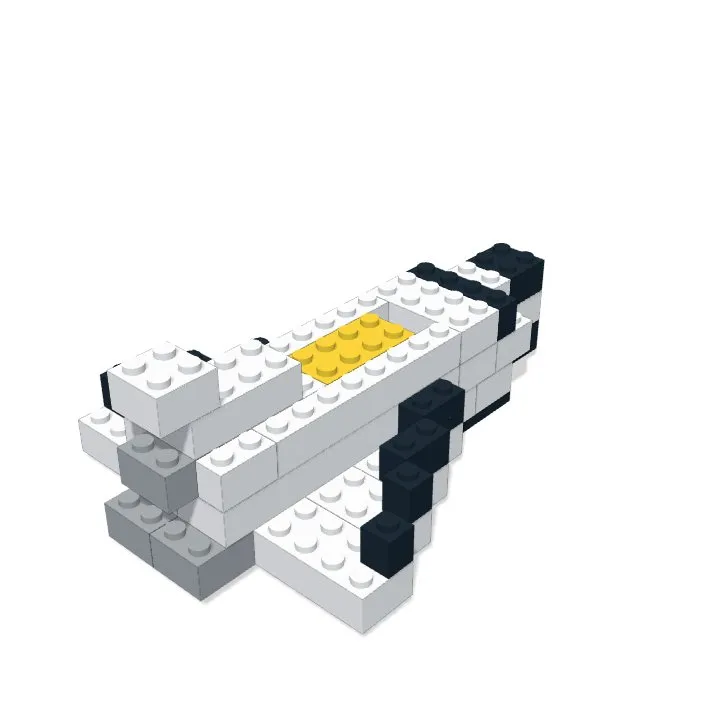
Ages 7–9
4–6 steps, 25–70 bricks, a fact at every step.
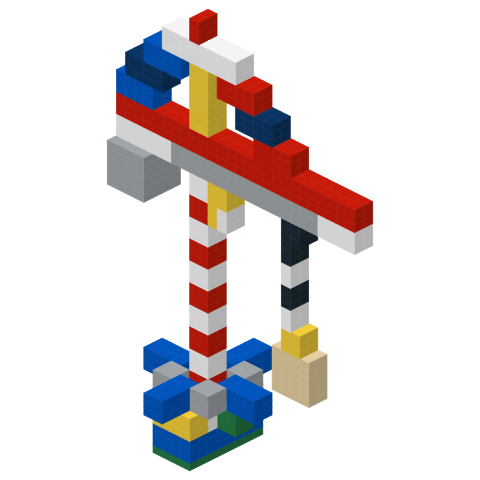
Ages 10–13
6–9 steps, up to 160 bricks.
Will a new design actually hold together?
Tumbly tests how every brick connects before it hands a design over. That’s the difference from an AI picture of bricks, which only has to look right.
| What Tumbly tests | What that saves you from |
|---|---|
| No two bricks are in the same spot | A step nobody can do |
| Every brick joins the model, and every wooden block sits on the table or on another block | A wing attached to nothing |
| Each step’s new bricks attach to the model or make one piece | A step that leaves loose bits on the table |
| It uses no more of a brick than the camera counted | Running out of bricks halfway |
Whatever fails goes back for one round of fixes. All 89 builds we picked for the app have a perfect score on how their bricks fit, and our own software tests hold them to it. A new design gets only that one round, so one can still come out with a weak spot. And this checks how bricks join, not how strong they are, so a long wing can still snap off if it’s dropped.
Which bricks does it work with?
It works with LEGO® bricks and plates, DUPLO® big bricks and plain wooden blocks. The camera works out which you have from a photo.
| LEGO® bricks and plates | Bricks from 1×1 to 2×10, and plates up to 4×8. |
|---|---|
| DUPLO® big bricks | Bricks from 1×1 to 2×8. Most of these are new designs, since nearly all the ready-made builds are for smaller bricks. |
| Wooden blocks | Cubes, long blocks, planks, slabs, pillars, cylinders and triangles. Nothing snaps together, so every block has to sit on something. None of the ready-made builds use them, so these are always new designs. |
| Pieces it leaves out | Slopes, tiles, round pieces, wheels, windows and minifigures. On studded bricks it uses only plain rectangular pieces, so those stay in the bin. |
| A deep bin | It counts what it can see and estimates what’s under the top layer. For a truer count, spread the bricks out. |
| Short of a color | It swaps in the same brick in another color, so a red fire truck may come out with a blue cab. |
| Before you show it your bricks | It designs from a starter set of plain bricks, so you may be short of a few. After one scan it remembers your pile on that device, and you can add to it later. |
| Size of a build | From 2 steps and a few big bricks at age 2 up to 9 steps and 160 bricks at age 13. |
| Ready-made builds | 89 that we picked and checked, from 6 to 73 bricks. |
| New designs | Each takes a few minutes, and they run only after you agree. |
| Printing | Every build prints as a picture book: the parts list, then one page per step. |
| Reading needed | None. A voice reads every step. |
| Where it runs | iPhone and iPad in 27 countries (the US, Canada, the UK, Ireland, Australia, New Zealand, most of Western Europe, Japan and more), Android in the US, and any web browser. |
How does it compare with Brickit and LEGO® Builder?
Brickit suggests ideas your pile can make, LEGO® Builder shows the steps for a set you bought, and Tumbly Blocks designs what your kid asks for. We took this from their App Store listings in November 2026.
| Feature | Tumbly Blocks | Brickit | LEGO® Builder | AI image generators |
|---|---|---|---|---|
| Designs what your kid asks for | ✓ | — | — | ✓ |
| Uses only the bricks you have | ✓ | ✓ | — | — |
| Real step-by-step instructions | ✓ | ✓ | ✓ | — |
| Sized for ages 2–13 | ✓ | — | By set | — |
| Checks each step with the camera | ✓ | — | — | — |
| Shows where a part is in your pile | — | ✓ | — | — |
| Official steps for LEGO® sets | — | — | ✓ | — |
| Price | Free to start | Free, Pro $6.99/mo | Free | Varies |
For more detail, here’s Tumbly Blocks as a free Brickit alternative and how each AI builder for LEGO® bricks compares. For building beyond bricks, here are the best engineering apps for kids.
What do you keep from a build?
You can save a build four ways, though the LDraw file only works for builds in LEGO® bricks, not big bricks or wooden blocks.
📖 A picture book
Parts list, one page per step, and a “built by” certificate.
🎞️ An animation
The build snapping together, then a victory spin.
🧊 A 3D print
An STL file at real brick size.
🧩 A LEGO® file
LDraw, for BrickLink Studio, LeoCAD or Blender.
Builds for big days
A step-by-step PDF for a holiday or a birthday, sized for your kids.
- 🎄 Christmas Build Box
- 🎂 Birthday Party Pack
- 🚒 Trucks, Planes & Rockets
- 🧸 Big-Brick First Builds
- 🦃 Thanksgiving
- 🕎 Hanukkah
- ❤️ Valentines
- 💛 Get-well
- 📷 Photo
- All occasions
Counting down to Christmas? Plan a DIY advent calendar with LEGO® bricks, one build a day.
New sets under the tree, and a booklet gone already? Here’s where to find lost LEGO® instructions, free.
Free step-by-step builds
Every step pictured, with the parts list, for plain bricks most home bins have.
Questions parents ask
What is the best LEGO® app to see what I can build?
It depends on what you want. LEGO® Builder shows the instructions for official sets. Brickit scans a spread-out pile and suggests ideas from its catalog. Tumbly Blocks designs what your kid asks for, a jet or a castle, from only the bricks the camera sees, sized for ages 2 to 13, with 3D steps.
Is there a free app that can scan my bricks?
Yes. Tumbly Blocks is free to start. Point the camera at the bricks on your table and it reads which bricks and colors you have, then designs a build from only those. A table photo is deleted when the design is done.
Is there a free app like Brickit?
Tumbly Blocks also starts with a photo of your pile. Instead of suggesting ideas from a catalog, it designs what your kid asks for from those bricks and sizes it for their age. It’s free to start on iPhone, iPad, Android and any web browser. Here’s how Tumbly Blocks and Brickit differ, and every LEGO® scanner app compared.
What can I build with random LEGO® pieces?
Simple models work best: a jet, a boat, a dragon, a castle tower, a fire truck. Tell Tumbly Blocks what your kid wants and it designs it from the random bricks on the table. Or start with one of the easy step-by-step LEGO® builds, each with its parts list. For a game with a test to pass, try these LEGO® challenges for kids.
Where can I find free printable LEGO® building instructions?
LEGO® posts the instructions for its own sets. For builds that don’t need a set, there are free step-by-step builds here, like this brick menorah, each with its parts list and every step pictured. Holiday builds also come as a free print-ready PDF by email.
Can I get custom instructions for my own bricks?
Yes. Tumbly Blocks doesn’t sell bricks; it makes the instructions. Say what you want, show the bricks you have, and it designs a custom model with every step in 3D. Keep it as a picture-book PDF with the parts list, an animation, an STL for 3D printing or an LDraw file for BrickLink Studio. Here’s how the other ways of getting instructions compare.
Can AI design a LEGO® build?
Yes. Tumbly Blocks uses AI to turn your kid’s idea into a model you can actually build: it sketches the idea, places real bricks, then checks that every brick is connected and supported and goes back to fix what isn’t. AI image generators only make brick-style pictures. New designs run only after you agree. Here’s how AI brick builders compare.
What ages is it for?
Ages 2 to 13. The same idea comes out four ways: a 2- or 3-year-old gets 2–3 steps with up to 10 big bricks, a 4–6-year-old 3–4 steps, a 7–9-year-old 4–6 steps, and a 10–13-year-old 6–9 steps with up to 160 bricks. No reading needed: every screen talks.
Does it work with DUPLO® or wooden blocks?
Yes. Tumbly Blocks builds with LEGO® bricks, DUPLO® big bricks or plain wooden blocks, whichever your kid has. Wooden-block designs account for gravity, since nothing snaps together. Toddlers get chunky builds of up to 10 big bricks in two or three steps, sized for small hands.
Is Tumbly Blocks free?
Yes, to start. Here’s what each plan costs. It’s an app on the App Store and Google Play, and it also runs in any web browser at tumbly.ai/play/blocks.
How long does a new design take?
A few minutes. Tumbly designs it for your bricks and then tests how every brick connects, so it isn’t instant the way a picture is. The ready-made builds open right away.
Is Tumbly Blocks an official LEGO® app?
No. Tumbly Blocks is made by Winding AI, Inc. and has no connection to the LEGO Group. It designs builds that use the LEGO® bricks you already own. The official app for LEGO® sets is LEGO® Builder.
What will they build today?
On iPhone, iPad and Android, and in any web browser.
Scan with your iPhone cameraor open it in your browser