How the LEGO® Builder app works, and what it can’t build
LEGO® Builder is the LEGO Group’s free app of building instructions for its own sets, on iPhone, iPad and Android. You find a set by name or number, or scan the QR code in its booklet, and then follow 3D steps you can turn and zoom. It needs that set’s pieces and an internet connection, and it can’t design anything from a loose pile.
That makes it the right app on the day a new set is opened. A few weeks later the set has come apart, its pieces are in the bin with everything else, and the app has nothing to show for them. That’s the job we built Tumbly Blocks for. Since one of the two apps is ours, everything said here about LEGO® Builder comes from its own store listings and lego.com.
Brick apps and tools
What does the LEGO® Builder app do?
It puts the paper booklet on a screen and lets you turn it. Each step is a 3D model you can zoom into and spin, so a brick hidden behind another one is easy to find.
Its App Store listing, read on November 13, 2026, says the library covers sets from 2000 to today. You open one by typing the set’s name or number, or by scanning the QR code in its instruction booklet.
Some sets also have Build Together, where one person hosts and shares a PIN and the others join and take turns on the steps. The listing says to check in the app whether your set has it. A few themes add a story to read as you build, and signing in with a LEGO® Account saves your place, keeps a list of the sets you’ve built and counts the bricks.
Is it free, and what age is it for?
It costs nothing on either store, and LEGO says it’s designed for everyone. The table below comes from the two store listings and LEGO’s page for the app, as they read on November 13, 2026.
| Price | Free on the App Store and Google Play |
|---|---|
| Made by | LEGO System A/S (the LEGO Group) |
| Works on | iPhone, iPad and Android. LEGO’s page names no computer version. |
| Age rating | 4+ on the App Store, Everyone on Google Play |
| Ratings | 4.8 from about 292,000 on the App Store, 4.8 from about 288,000 on Google Play |
| Downloads | More than 10 million on Google Play |
| Internet | Needed, says its App Store listing |
| Old name | LEGO® Building Instructions, says LEGO’s page |
How do you use it with a new set?
- A grown-up installs it from the App Store or Google Play.
- Type the set number from the box, or scan the QR code inside the booklet.
- Follow the steps, turning the model with a finger when a brick is hidden and zooming in on the small ones.
- If the set has Build Together, one phone hosts and shares the PIN, and each builder takes a turn.
Can it build something from random pieces?
No. It only holds the steps for the company’s own sets, so it needs each set’s exact pieces, and it never looks at the bricks you own. Most families end up with one mixed bin, and two other apps start from that bin instead.
Brickit scans a spread-out pile and shows ideas from its catalog that the pile can make. Here’s how Tumbly Blocks and Brickit differ.
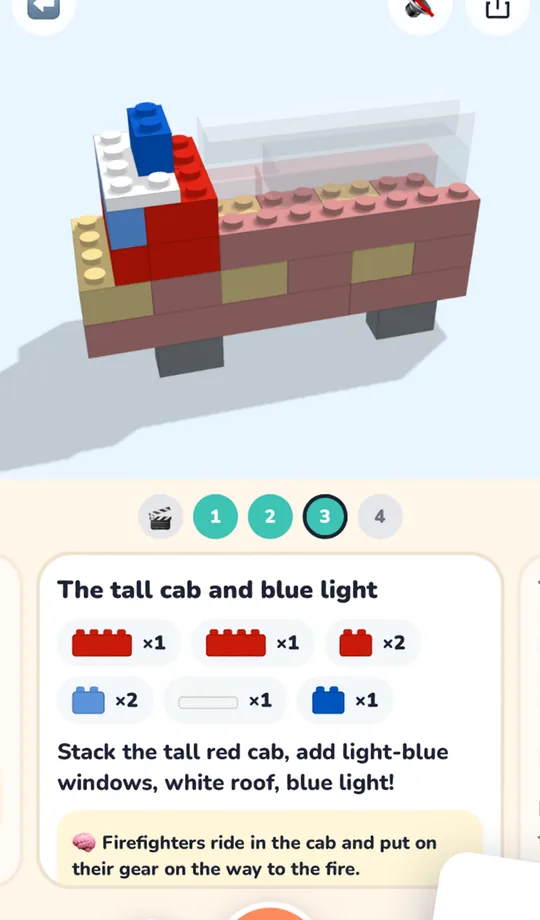
Tumbly Blocks starts from what your kid wants. Your kid says “a fire truck,” you show it the bricks on the table, and it designs a fire truck from only those bricks, sized for your kid’s age, with every step in 3D and a voice that reads each one.
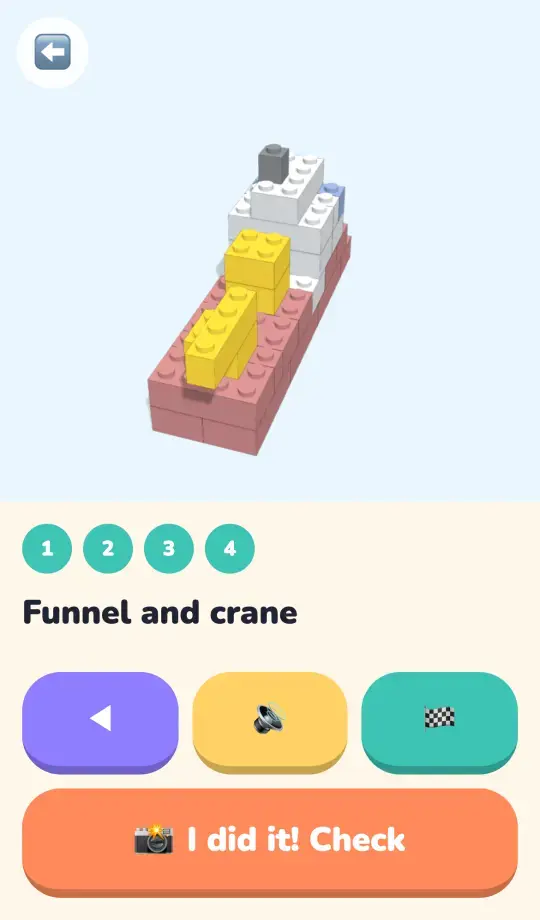
Here’s one step of a ship in our app. The speaker button reads it aloud, and the orange button asks the camera to check the bricks. A new design takes a few minutes, because it’s worked out for your bricks rather than picked from a list.
Which app should your kid use?
Open LEGO® Builder for a boxed set, because its steps are the official ones and match the pieces in the box. Open Tumbly Blocks when the pile is mixed and your kid has an idea of their own.
LEGO® Builder’s column comes from its US store listings and lego.com, read on November 13, 2026. A dash means the app doesn’t do that, or its listing doesn’t say it does.
| Feature | LEGO® Builder | Tumbly Blocks |
|---|---|---|
| You start with | A boxed set you own | A photo of your bricks and what your kid wants |
| You get | The official steps for that set | A new design from only those bricks |
| Works from a mixed pile | — | ✓ |
| Sized for your kid’s age | By set | Ages 2–13 |
| 3D steps you can turn | ✓ | ✓ |
| Reads each step aloud | — | ✓ |
| Checks each step with the camera | — | ✓ |
| Build together with a PIN | Some sets | — |
| Where | iPhone, iPad, Android | iPhone, iPad, Android, web browser |
What can your kid build after the set comes apart?
Something sized for their age, from whatever bricks are in the bin now. Each of our designs aims at the sizes below, and a small pile makes a smaller build.
| Age | Steps | Pieces |
|---|---|---|
| 2–3 | 2–3 | 3–10 |
| 4–6 | 3–4 | 10–30 |
| 7–9 | 4–6 | 25–70 |
| 10–13 | 6–9 | 60–160 |
To try one tonight without an app, start with one of these three, from small to big. Each page has a parts list and every step pictured.


There are more in what to build with LEGO® bricks, and if you’re choosing a set, which bricks fit each age can help.
Try it on your own pile.
Take a photo of the bricks on your table and say what your kid wants. Tumbly Blocks designs it from what’s there, sized for their age, with every step in 3D.


Scan with your iPhone cameraor open it in your browser
Questions parents ask
Is the LEGO® Builder app free?
Yes. It was free on the App Store and on Google Play when we checked on November 13, 2026. You still need the set, because the app only shows its steps.
Can the app scan my loose pieces?
No. It scans the QR code printed in a set’s instruction booklet to open that set’s steps, and it never looks at loose bricks. Brickit scans a spread-out pile and suggests ideas from its catalog, and Tumbly Blocks designs what your kid asks for from a photo of the pile.
Does it work offline?
No. Its App Store listing says you need a stable internet connection to use it, so keep the paper booklet from the box for a trip without Wi-Fi.
Can I use it on a computer?
LEGO’s page for the app says it runs on iOS and Android devices and names no computer version. On a computer, the building instructions page on lego.com finds a set’s instructions by name or number.
What age is it for?
The App Store rates it 4+ and Google Play rates it Everyone, and LEGO’s own page says it’s designed for everyone. The age printed on the set’s box matters more.
Where do I find the set number?
LEGO says it’s on the box and on the set’s product page online. If the box is gone but you still have the booklet, scan the QR code inside it instead. With neither, here’s how to find lost LEGO® instructions by theme and year.
What can my kid build once the set comes apart?
Anything sized for their age, from plain bricks and plates. Our ideas for what to build picture every step, and Tumbly Blocks designs a new build from only the bricks on your table.
Is Tumbly connected to the LEGO Group?
No. Tumbly is made by Winding AI, Inc., which has no connection to the LEGO Group.